pacman::p_load(tidyverse, readtext)Kickstarter 1: Working with Text Data
Overview
This kickstarter aims to provide you hands-on guide on how to work with text data. By the end of this hands-on exercise, you will be able to use appropriate R functions to perform the following tasks:
- Importing and combining multiple text files into one data.frame,
- Extracting data from a text string columns, and
- Tidying and cleaning text data by removing markers (i.e. #*= etc).
Getting Started
Firstly, install readtext package into R.
Next, use the code chunk below to load readtext and tidyverse family of R packages into RStudio environment.
Importing and Integrating Multiple Text Files
The text data provided are stored in individual text files (i.e. txt). The folder name is called articles.
Use the code chunk below to create a character object called data_folder.
data_folder <- "data/articles"Next, readtext() of readtxt package is used to import the text files into R and at the same time combine them into a data.frame called text_data.
text_data <- readtext("data/articles/*")It is always a good practice to check the output R object by using class().
class(text_data)[1] "readtext" "data.frame"Tidying the Text Data
Screenshot below shows the values in doc_id are not tidy where by the companies and news agencies are combined together. They are separated by either 0_0 etc.
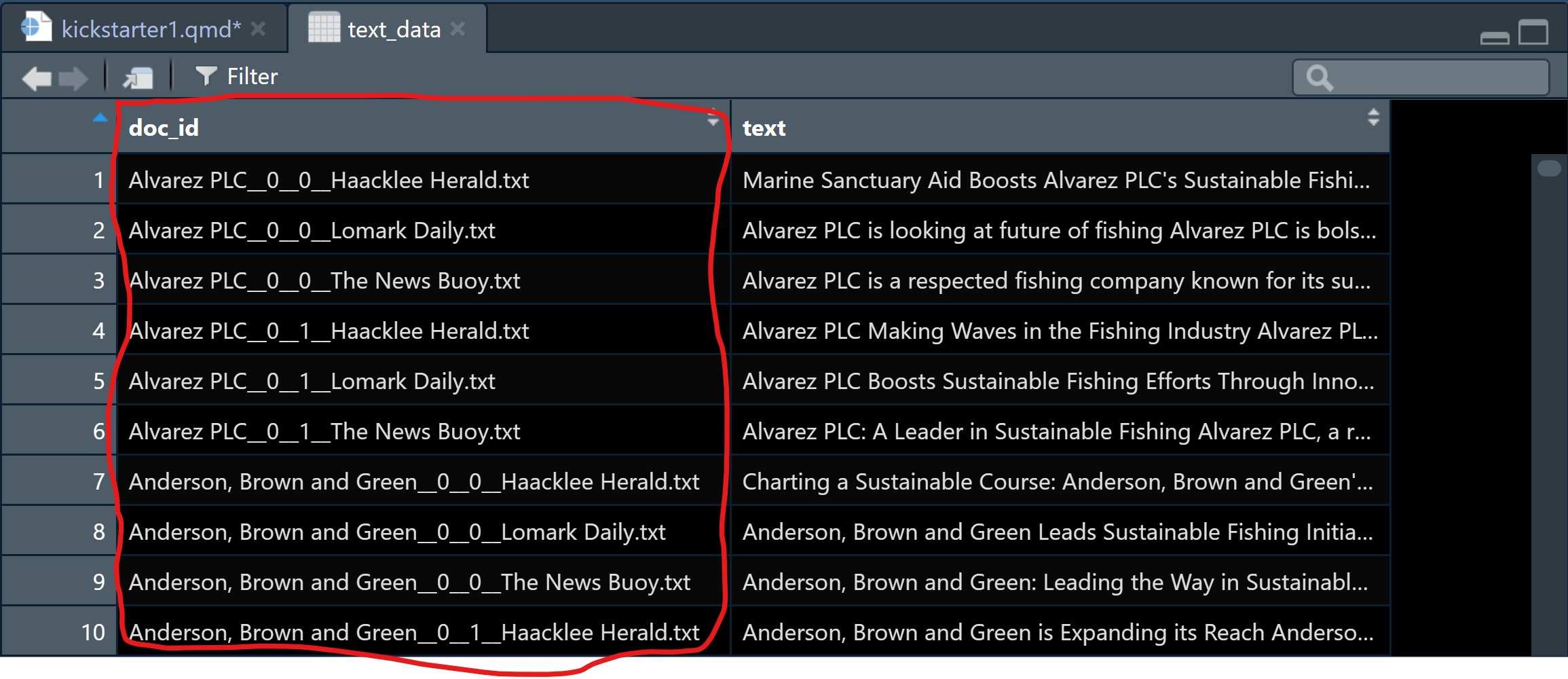
Code chunk below will be used to split string values in doc_id column into two columns, one for companies and another one for news agencies
text_df <- text_data %>%
  mutate(doc_id = str_remove(
    doc_id, "\\.txt$")) %>%
  separate(doc_id,
           into = c("Company", "NewsAgency"),
           sep = "__\\d__\\d__")
Note
Things to learn from the code chunk below:
str_remove()is used to remove .txt from the text string.mutate()is used to update the changes into doc_id could.separate()is used to separate the company name and news agency name from doc_id column into two columns (i.e. Company and NewsAgency.)
The tidied data should look similar to the screenshot below.
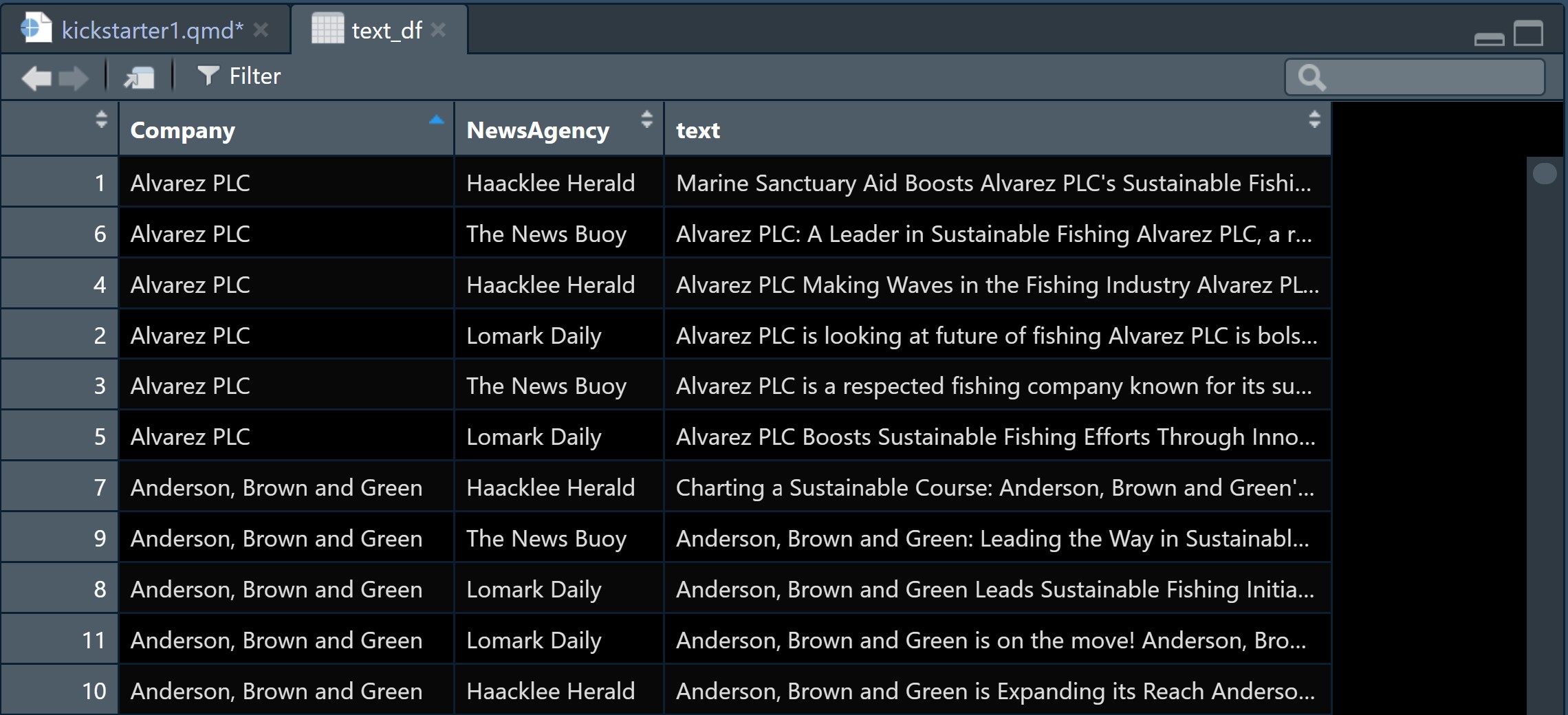
By examine the text_df tibble data.table closely, two data issues revealed. They are:
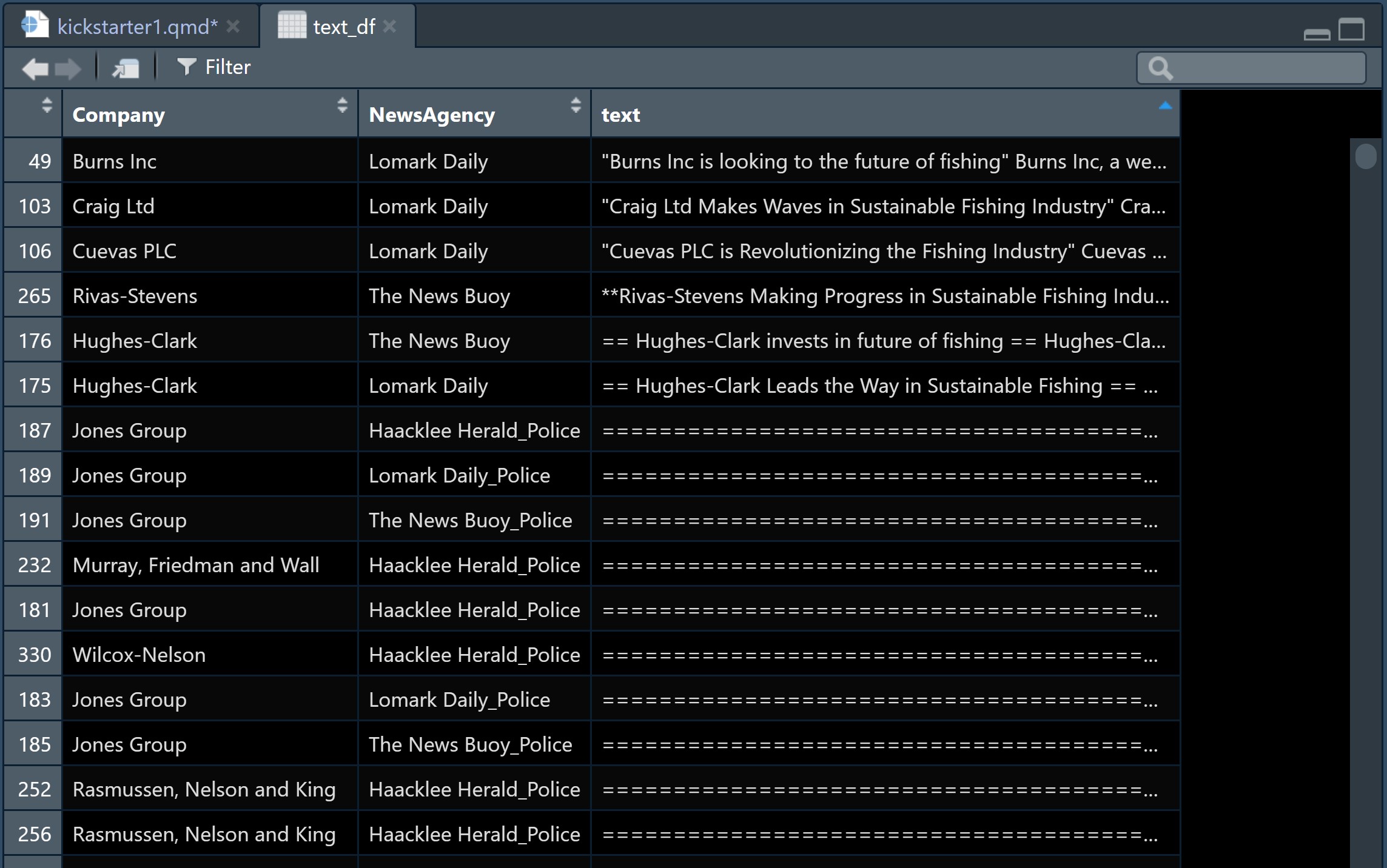
- There are text strings contain “**== whereby further data cleaning are required.
- There are ten (10) text strings are in the form of police report format and not in a typical text format.
DIY
- Remove “**=+ from the string values.
- Extract rows with police reports and save them into a new csv file for future processing and analysis.
Before moving to the next section, it is always a good practice to save the tidied tibble data.frame into a physical file for subsequent use.
write_rds(text_df, "../VAST/data/rds/text_df.rds")